WaveSpeed Desktop
1000+ AI models in one desktop app
Generate images and videos with the latest AI models, chain them into workflows, and keep every result on your computer. Free AI chat, a free coding agent and 14 creative tools are built in, no API key needed.
Free download · All releases on GitHub
Free AI, built in
Chat with an AI or hand a coding task to an agent. No API key, credits or sign-in needed; free use has an hourly limit.
Free AI chat
Ask questions, write and edit text, translate, or get help with code.
- See the model's thinking before its answer
- Formatted answers with one-click copy for code
- Your chats stay on your device
Mac · Windows · Linux · Android
Free coding agent
Open a project folder and describe the task. The agent reads your code, runs commands and edits files until the job is done.
- Asks before each edit or command: allow it once, or always for the project
- Files outside the folder, .env and credential files, sudo and git push are blocked
- Works on Windows too, with nothing extra to install
Mac · Windows · Linux
Answers come from third-party open models and can be wrong. Check important facts, review the agent's changes, and don't enter personal or sensitive information.
What you can do
Run any model
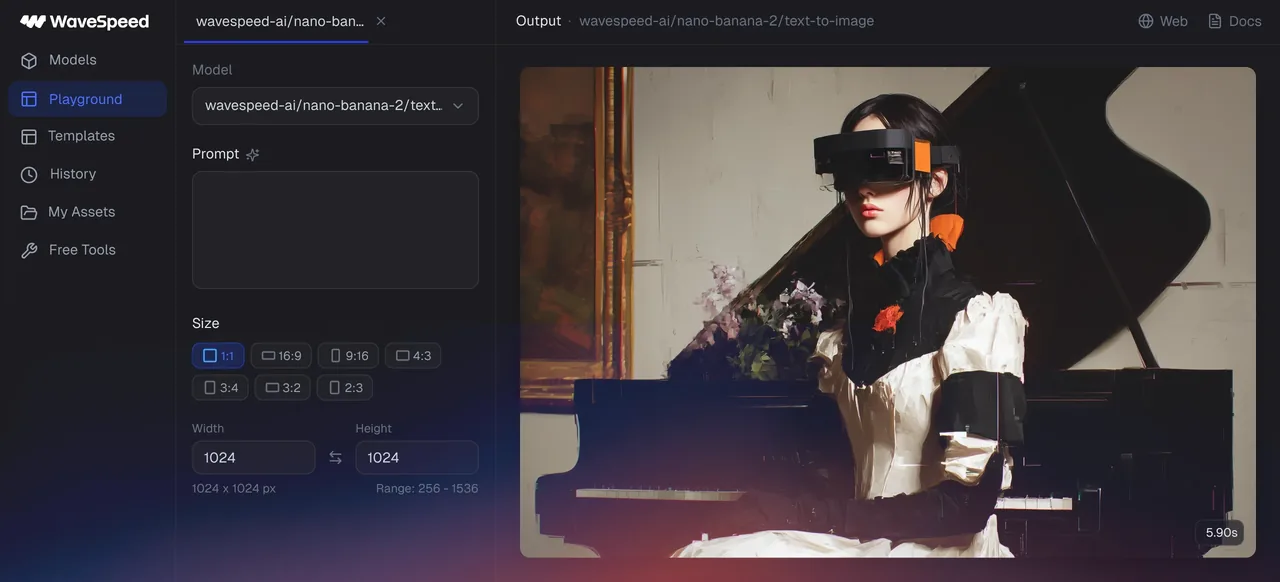
Search 1000+ image, video, audio and 3D models, fill in each model's inputs, and work in several tabs at once. Upload files, draw masks, or capture from your camera and microphone.
Build visual workflows
Chain models and free tools on a node canvas. Run a workflow on every file in a folder, or serve it as a local HTTP endpoint for your scripts and AI agents.
Keep results on your computer
Generated images and videos are saved to a local folder automatically. Find them in My Assets with tags, favorites and search, and save your best settings as templates.
Free tools, no API key
14 creative tools run on your own hardware, and Z-Image generates images locally. Download their models in advance to use them offline.
Free tools that run on your computer
No API key, no uploads: these tools process your files on your own hardware.

All 14 free tools
- Video Enhancer
- Video FPS Increaser
- Image Enhancer
- Image Colorizer
- Face Enhancer
- Face Swapper
- Background Remover
- Image Eraser
- Segment Anything
- Video Converter
- Audio Converter
- Image Converter
- Media Trimmer
- Media Merger
Image Colorizer, Face Swapper and Video FPS Increaser are available on desktop only.
Desktop, web or API?
All three run the same WaveSpeed models from one account.
Desktop app
- Best for
- Repeat work, batch jobs and workflows on your own machine
- How you start
- Download the app; add your API key to run AI models
- Your results
- Saved to a folder on your computer
Web app
- Best for
- Quick generations from any browser
- How you start
- Sign in at wavespeed.cyou
- Your results
- In your history on wavespeed.cyou
API
- Best for
- Apps, automation and production pipelines
- How you start
- Create an API key and call the REST API
- Your results
- Returned to your code
System requirements
Official downloads only
WaveSpeedAI publishes these apps only on this page and in our GitHub releases; see official apps. An APK from anywhere else is not ours. Every official Android APK is signed with the same certificate, SHA-256:
84104f3fc62ed05cfdb1b39d70ae13b43b32e65900eccbbb991341d4c8130976Check a download with apksigner verify --print-certs (Android SDK build-tools): the certificate SHA-256 digest must match.
Frequently asked questions
Is WaveSpeed Desktop free?
Yes. The app, its 14 free tools and local Z-Image generation cost nothing. AI models you run with your WaveSpeed API key are billed to your account at each model's price. Free AI chat and the free coding agent cost nothing too, within an hourly limit.
Do I need an API key?
Only to run AI models. Create a key on the API keys page of your WaveSpeed account and paste it into the app's Settings. The free tools work without one.
Which Mac download should I choose?
Choose Apple silicon for Macs with an M-series chip and Intel for older Macs; About This Mac in the Apple menu shows which you have. Local Z-Image generation needs Apple silicon.
Does it work offline?
The free tools and Z-Image run on your computer, so they work offline once their models are downloaded; you can download them in advance in Settings. AI models from the WaveSpeed catalog need an internet connection, and so do free AI chat and the free coding agent.
Is the AI chat free?
Yes. Free AI chat in the desktop app (Mac, Windows and Linux) and the Android app needs no API key, credits or sign-in; free use has an hourly limit. Answers come from third-party open models and can be wrong, so check important facts and don't enter personal or sensitive information.
What can the free coding agent do, and is it safe?
It works inside a project folder you choose: it reads files, runs commands and edits code to finish the task you describe. Reading files and read-only commands run on their own; every edit and every other command asks first, and you can allow it once or always for that project. Files outside the folder, .env and credential files, sudo and git push are blocked. It is free within an hourly limit, needs no API key or sign-in, and runs in the desktop app for Mac, Windows and Linux. Review its changes before you keep them.
Is there an app for iPhone or iPad?
No. On iPhone and iPad, use wavespeed.cyou in your browser: every model runs there too.
How do I update the app?
The desktop app checks for new versions and installs them when you choose to update. On Android, install the new APK over the existing app; uninstalling first can remove your local app data.
Get WaveSpeed Desktop
Free for Windows, macOS, Linux and Android. Prefer the browser? Every model also runs on wavespeed.cyou.